Text Compare – Find the Difference Between Two Texts
Free online diff checker that compares two texts and highlights every added, removed and changed line — instantly, right in your browser.
Paste or drop text into both boxes, then press Compare.
Everything runs in your browser — nothing is uploaded.Features
Why use this text compare tool?
100% private
The comparison runs locally in your browser. Nothing is uploaded, stored or logged — safe for contracts, code and confidential notes.
Instant results
A fast diff engine with Web Worker support handles large texts without freezing the page. No ads, no sign-up, no waiting.
Line, word & character diff
Switch between line, word and character level to see exactly what changed — from whole paragraphs down to a single letter.
Side-by-side & inline views
Read changes the way you prefer: a two-column view with aligned lines, or a compact inline (unified) view.
Smart preprocessing
Ignore case, whitespace or line endings, sort lines and drop empty lines before comparing to focus on differences that matter.
Merge & export
Resolve each change like a git conflict to build a merged version, then share the diff as a PDF, spreadsheet or PNG image.
How to compare two texts online
- 1
Paste your texts
Paste the original text into the left box and the changed text into the right box — or drag & drop .txt files.
- 2
Click Compare
Press the Compare button or hit Ctrl/⌘ + Enter. Adjust granularity, view and options at any time; the result updates live.
- 3
Review, merge & export
Added lines are green, removed lines are red and changed lines are yellow. Merge the two versions git-style, or export the diff as PDF, spreadsheet or image.
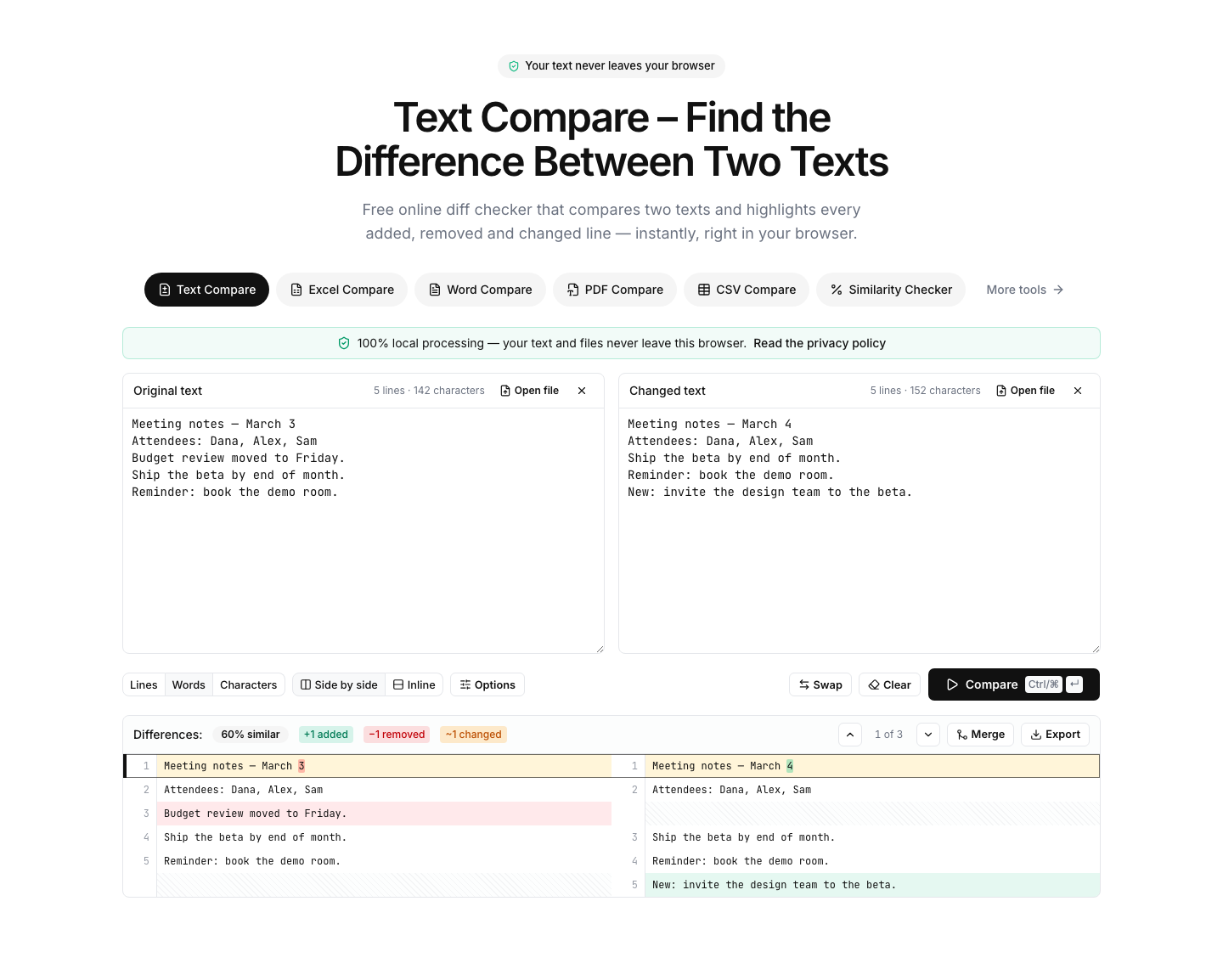
The free online diff checker for text, code and documents
Text Compare is a free online tool that finds the difference between two texts. Paste two versions of a paragraph, an essay, a contract clause or a block of source code, and the diff checker aligns them line by line and highlights what was added, removed or modified. Word- and character-level modes pinpoint changes inside a line, which makes even small edits — a renamed variable, a changed date, a single punctuation mark — easy to spot.
Unlike most diff tools, the comparison runs entirely on your device. The page is fully static: your text is never sent to a server, never stored and never used for anything else. That makes it safe to compare confidential material such as legal documents, customer data or unpublished writing. It also makes the tool fast — there is no upload round-trip, so even large files compare in moments.
Typical uses include checking two versions of an essay or article for edits, verifying code changes outside an IDE, comparing configuration files, reviewing translated or rewritten copy, and confirming that a document a colleague returned matches what you sent. Preprocessing options — ignore case, ignore whitespace, sort lines, remove empty lines — help you cut through noise and focus on real changes.
FAQ
Frequently asked questions
More comparison tools
Excel Compare
Find differences between two Excel or CSV spreadsheets
CSV Compare
Compare two CSV files row by row
Word Compare
Compare two Word documents (.docx)
PDF Compare
Compare the text of two PDF files
Image Compare
Spot every difference between two images with a slider and pixel diff
List Compare
Find common, missing and merged items in two lists