Compare Two YAML Files Online
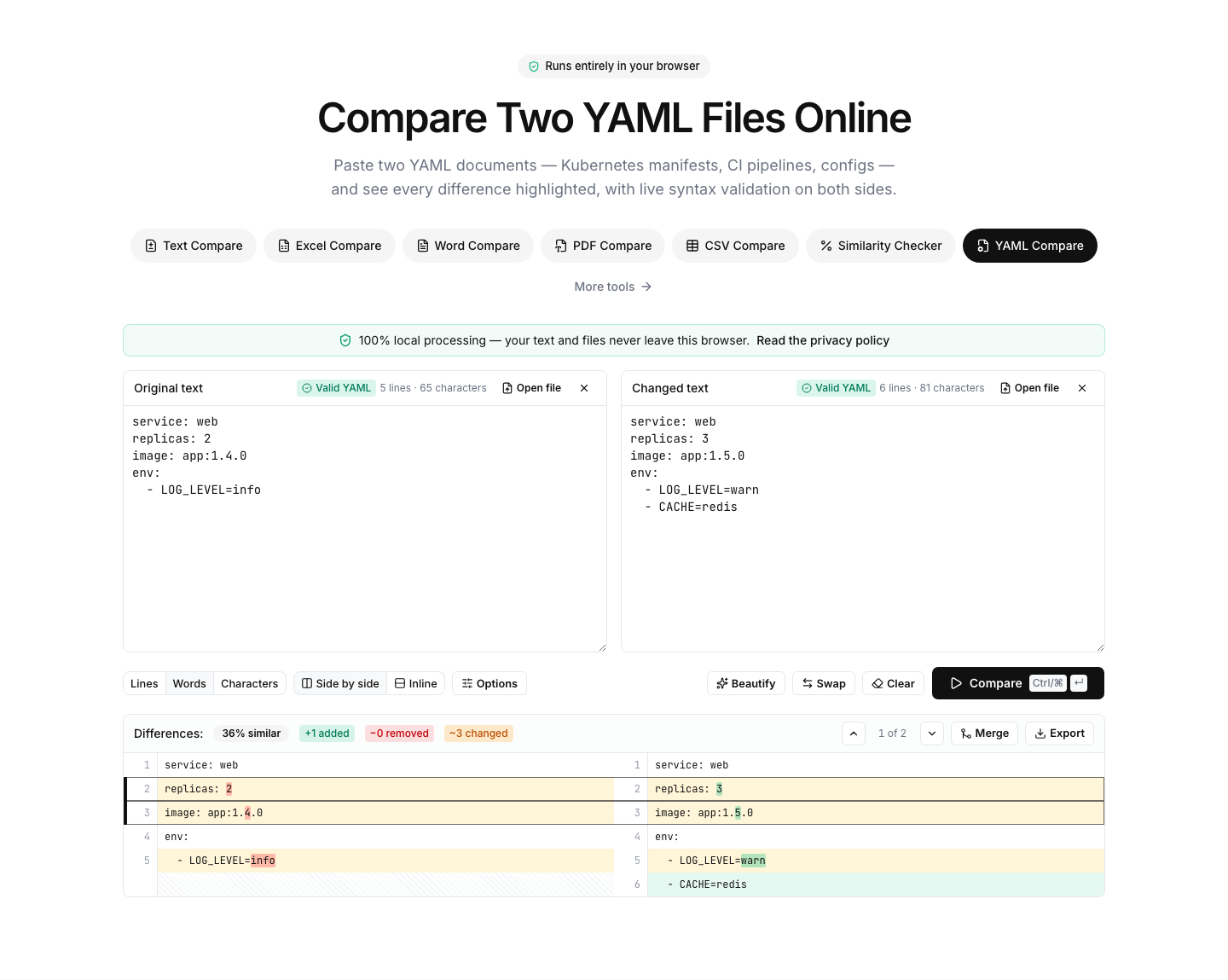
Paste two YAML documents — Kubernetes manifests, CI pipelines, configs — and see every difference highlighted, with live syntax validation on both sides.
Paste or drop text into both boxes, then press Compare.
Everything runs in your browser — nothing is uploaded.How to compare two YAML files
- 1
Add both documents
Paste the YAML or drop .yaml/.yml files onto the panels. Each side is parsed live — syntax errors are flagged with their line number.
- 2
Beautify to normalize
Click Beautify to re-indent both sides with consistent two-space indentation, keeping comments. Indentation-style differences disappear from the diff.
- 3
Compare & review
Run the comparison and review changed keys, values and blocks line by line — ideal for spotting what a Helm upgrade or config change actually did.
Read the full guide: Common JSON Formatting Errors and How to Debug Them
A YAML diff with a real parser behind it
YAML runs half the modern infrastructure — Kubernetes manifests, CI pipelines, docker-compose files, application configs — and its whitespace sensitivity makes both editing and comparing it error-prone. This tool parses each side with a real YAML parser while you type: a stray tab or a mis-indented key is flagged immediately with its line number.
The beautifier rewrites both documents with identical two-space indentation while preserving comments, so indentation-style differences and trailing whitespace stop showing up as changes. What remains in the diff is what actually changed: a bumped image tag, a new environment variable, a removed volume.
Typical uses: reviewing what changed between two Helm-rendered manifests, comparing docker-compose files across environments, checking a CI pipeline change before merging, or validating a config file a colleague edited by hand.
Multi-document files (separated by three dashes) are supported for validation and formatting. Everything runs locally — manifests that contain secrets or internal hostnames never leave your browser.
FAQ
YAML comparison — frequently asked questions
More comparison tools
JSON Compare
Key-order aware JSON diff, formatter and validator
XML Compare
Diff, beautify and validate XML documents
SQL Compare
Diff, format and syntax-check SQL queries
HTML Compare
Diff and beautify HTML markup
CSS Compare
Diff and beautify stylesheets
Text Compare
Diff two texts with every change highlighted