Compare Two CSV Files Online
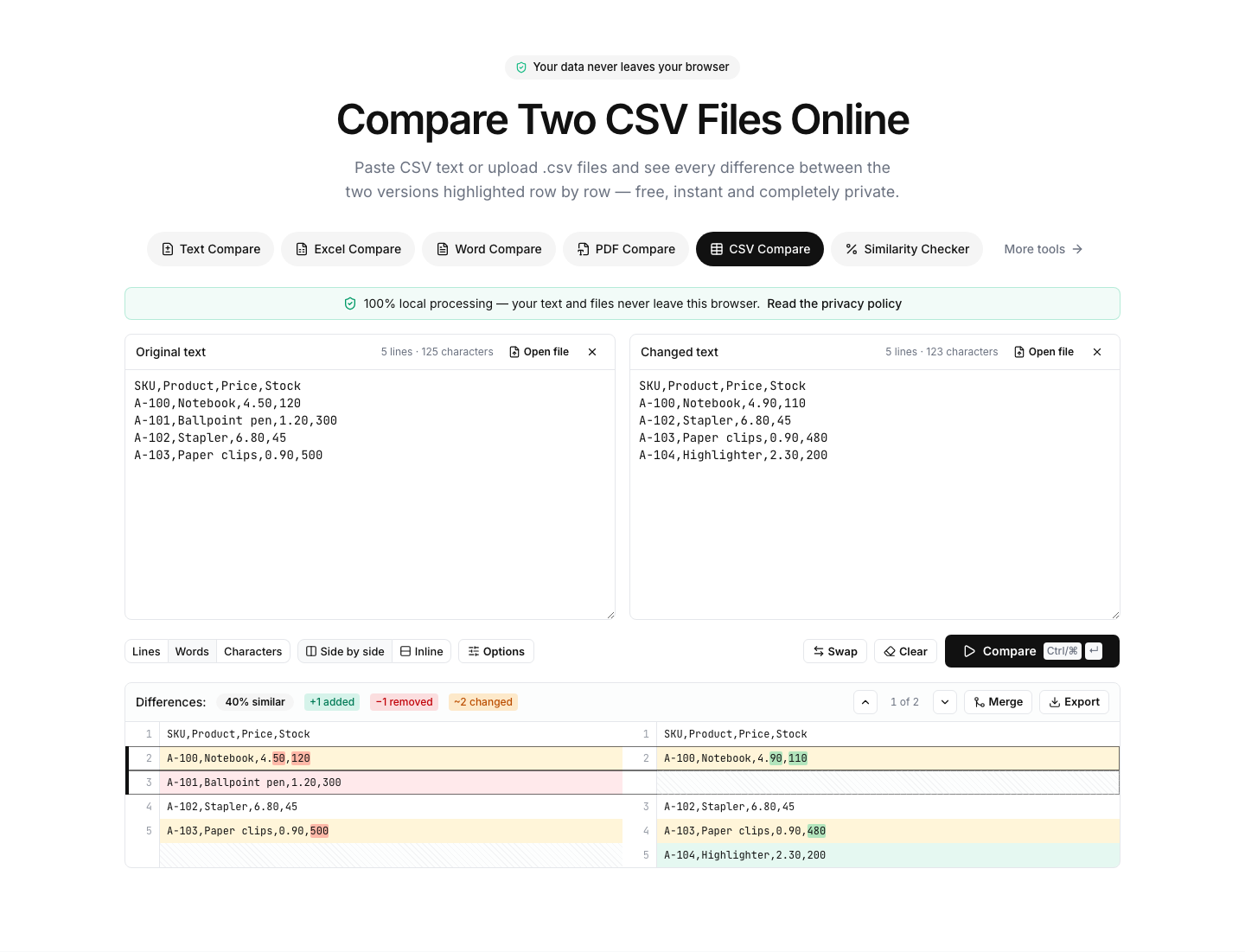
Paste CSV text or upload .csv files and see every difference between the two versions highlighted row by row — free, instant and completely private.
Drop a file on each side, or paste text — comparison starts automatically.
Files are processed on your device and never uploaded.How to compare two CSV files
- 1
Add both versions
Paste the CSV text directly, or drop .csv/.tsv files onto the panels — uploaded files are parsed and normalized locally.
- 2
Compare
Click Compare or press Ctrl/⌘ + Enter. Switch granularity to “Words” to highlight the exact fields that changed inside each row.
- 3
Clean up the noise
Use “Sort lines” when row order differs, “Ignore whitespace” for padding differences, and export the result as CSV, PDF or image when you are done.
Read the full guide: How to Compare Two Excel Sheets for Differences (4 Methods)
A precise diff for comma-separated data
CSV files power exports from almost every system — databases, e-commerce platforms, analytics tools, banks. This tool compares two CSV versions row by row and highlights the exact fields that changed, so you can spot an updated price, a renamed customer or a missing record in seconds.
Files you upload are parsed and re-serialized locally, which normalizes quoting differences (so "value" and value compare as equal when the content is the same). Pasted text is compared exactly as-is. Either way, nothing is sent to a server — comparing sensitive exports is safe.
Common workflows: validating a data migration by comparing before/after exports, checking which rows an ETL job changed, reviewing a product catalog update, or comparing bank statement exports. For .xlsx workbooks with multiple sheets, use the Excel Compare tool instead.
FAQ
CSV comparison — frequently asked questions
More comparison tools
Text Compare
Diff two texts with every change highlighted
Excel Compare
Find differences between two Excel or CSV spreadsheets
Word Compare
Compare two Word documents (.docx)
PDF Compare
Compare the text of two PDF files
Image Compare
Spot every difference between two images with a slider and pixel diff
List Compare
Find common, missing and merged items in two lists