Compare Two Word Documents Online
Upload two .docx files and instantly see the differences between them, paragraph by paragraph and word by word. No Microsoft Word needed, no signup, no upload.
Drop a file on each side, or paste text — comparison starts automatically.
Files are processed on your device and never uploaded.How to compare two Word documents
- 1
Upload both documents
Drop the original .docx on the left and the revised .docx on the right. The text is extracted locally, one paragraph per line.
- 2
Review the differences
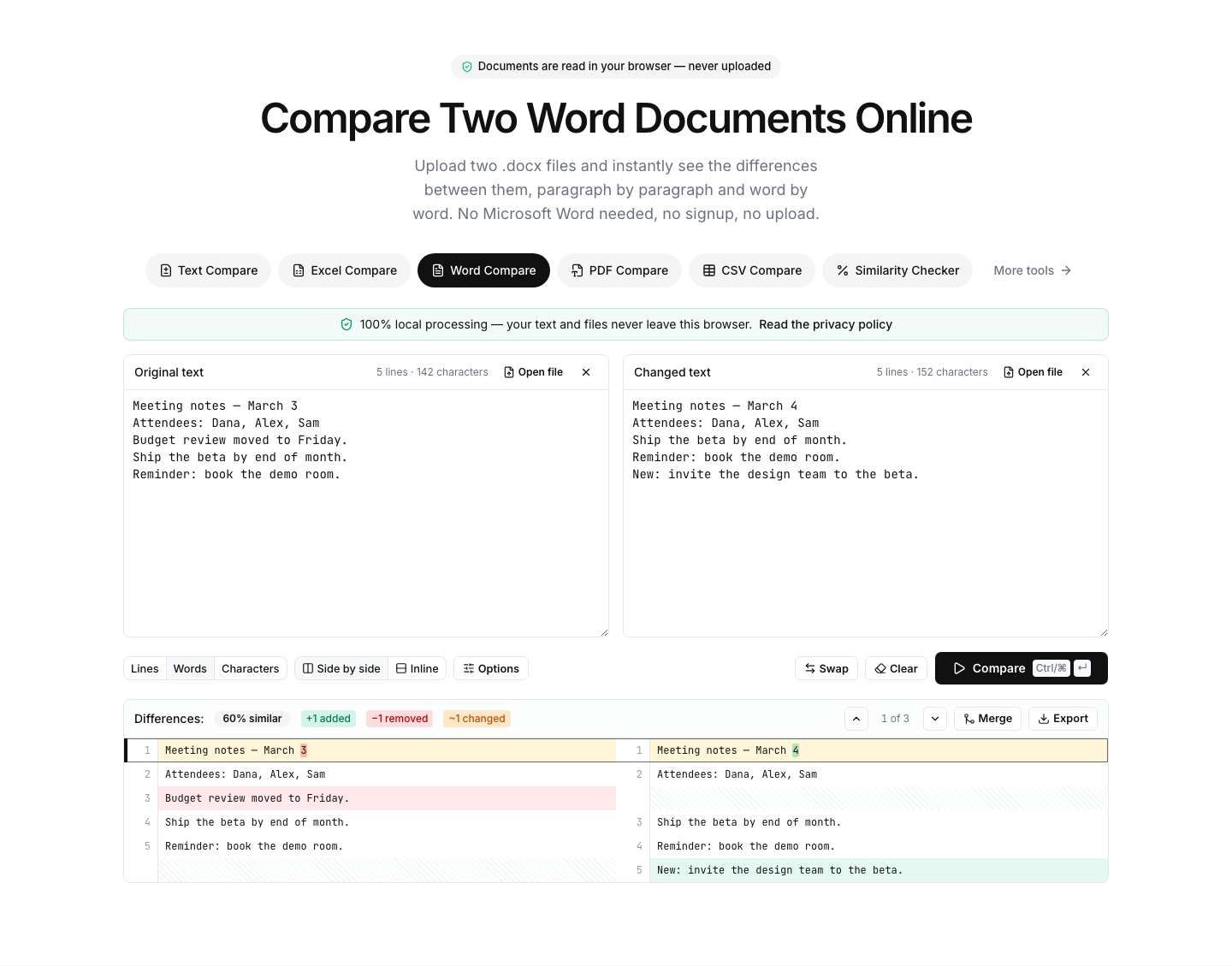
The comparison starts automatically. Green marks added text, red marks deletions, yellow marks edited paragraphs — with word-level highlights inside each one.
- 3
Merge or export
Use Merge mode to combine the two versions git-style, or export the comparison as PDF, spreadsheet or image to share with others.
Read the full guide: How to Compare Two Word Documents (With or Without Microsoft Word)
See what changed between two versions of a document
This tool answers a simple question Microsoft Word makes surprisingly hard: what exactly changed between these two files? It extracts the text of both .docx documents directly in your browser, aligns them paragraph by paragraph and highlights every insertion, deletion and edit — like Track Changes, but applied after the fact to any two versions.
Because extraction and comparison run entirely on your device, it is safe to compare contracts, offers, manuscripts, theses and other confidential documents. Nothing is uploaded, stored or shared — the page works even offline once loaded.
Typical uses: checking what a counterparty changed in a returned contract, comparing your draft against an edited version when Track Changes was not used, verifying that two copies of a document are really identical, or reviewing how a template evolved.
Notes: the comparison covers the document text — images, tables' formatting, headers/footers and styling are not compared. Legacy binary .doc files are not supported; open them in Word and save as .docx first.
FAQ
Word document comparison — frequently asked questions
More comparison tools
Text Compare
Diff two texts with every change highlighted
Excel Compare
Find differences between two Excel or CSV spreadsheets
CSV Compare
Compare two CSV files row by row
PDF Compare
Compare the text of two PDF files
Image Compare
Spot every difference between two images with a slider and pixel diff
List Compare
Find common, missing and merged items in two lists