Compare Two Images Online
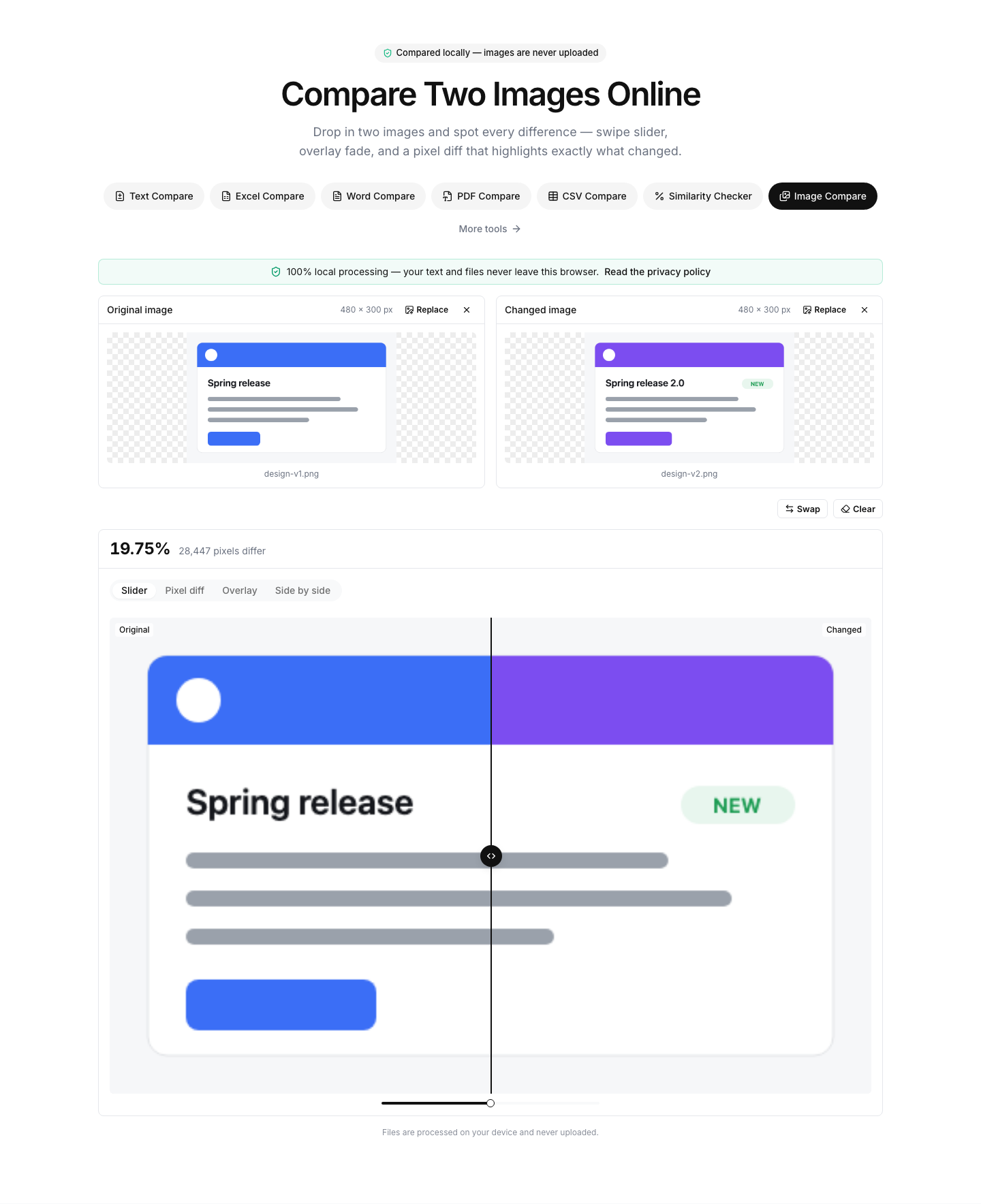
Drop in two images and spot every difference — swipe slider, overlay fade, and a pixel diff that highlights exactly what changed.
Add an image on each side — the comparison starts automatically.
Files are processed on your device and never uploaded.
How to compare two images online
- 1
Add both images
Drop, paste or browse for the original on the left and the changed version on the right. PNG, JPG, WebP, GIF, BMP and SVG all work.
- 2
Pick a view
Swipe the slider to reveal either version, fade one into the other in overlay mode, or open the pixel diff to see every changed pixel highlighted in red.
- 3
Tune and export
Raise the threshold to ignore tiny color shifts and anti-aliasing noise, then download the highlighted diff as a PNG for your bug report or design review.
Read the full guide: How to Compare Two URLs or Web Pages for Differences
Pixel-perfect image comparison, right in your browser
An image diff answers a question that side-by-side squinting never quite settles: what exactly changed between these two pictures? Designers use it to review mockup revisions, developers to verify screenshots before and after a code change, photographers to check retouching, and content teams to spot edits in charts or scans. This tool compares two images directly in your browser and shows the differences three ways.
The swipe slider is the fastest way to eyeball layout shifts — drag the handle and the changed image sweeps across the original. Overlay mode stacks the two pictures so you can fade between them, and its difference-blend option turns everything identical black so misalignments glow. The pixel diff runs the same matching algorithm used by visual-regression test suites: every differing pixel is painted red, and the headline number tells you how many pixels changed and what share of the canvas that is.
The two images do not need the same dimensions — they are aligned at the top-left corner on a shared canvas, and any area covered by only one image counts as a difference. The threshold slider controls how strict the pixel matching is: at 0 the slightest color change is flagged, while higher values ignore compression noise and subtle gradients. Anti-aliased edge pixels can be excluded entirely so font smoothing does not drown out real changes.
Everything runs locally: your images are decoded and compared with the canvas API and a Web Worker inside your browser, and they are never uploaded to any server. That makes the tool safe for unreleased designs, client work and screenshots containing personal data — and it stays free, with no signup and no watermarks.
FAQ
Image comparison — frequently asked questions
More comparison tools
Text Compare
Diff two texts with every change highlighted
Excel Compare
Find differences between two Excel or CSV spreadsheets
CSV Compare
Compare two CSV files row by row
Word Compare
Compare two Word documents (.docx)
PDF Compare
Compare the text of two PDF files
List Compare
Find common, missing and merged items in two lists