Compare Two HTML Files Online
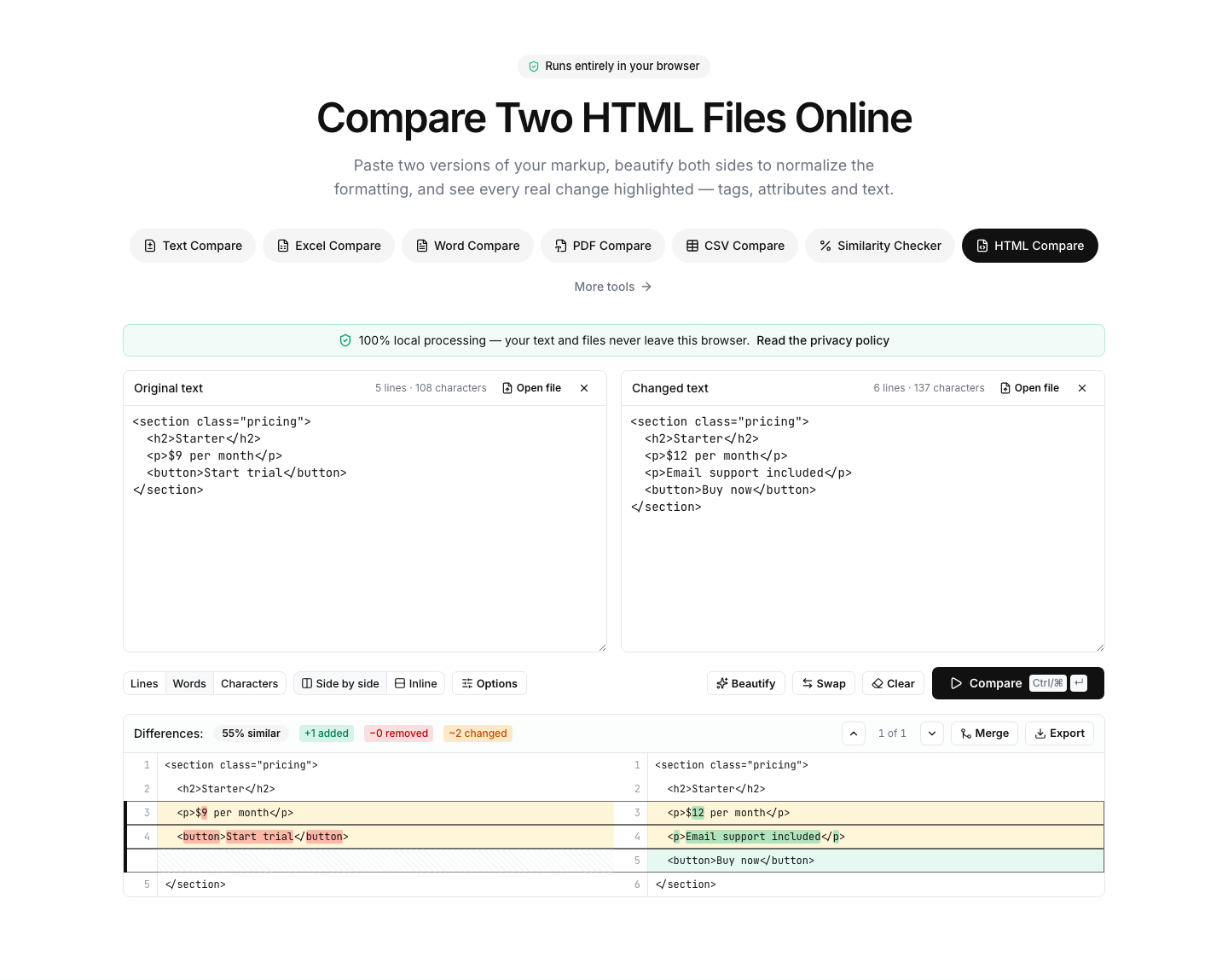
Paste two versions of your markup, beautify both sides to normalize the formatting, and see every real change highlighted — tags, attributes and text.
Paste or drop text into both boxes, then press Compare.
Everything runs in your browser — nothing is uploaded.How to compare two HTML files
- 1
Add both versions
Paste the markup or drop .html files onto the panels — full pages, templates or fragments all work.
- 2
Beautify both sides
Click Beautify to re-indent both documents identically. Minified or differently-formatted markup becomes line-by-line comparable.
- 3
Compare & review
Run the comparison and review changed tags, attributes, classes and text content with word-level highlights.
Read the full guide: How to Compare Two URLs or Web Pages for Differences
Make any two HTML files comparable
HTML in the wild is often minified, template-generated or formatted by different tools — which makes raw text diffs useless. The built-in beautifier rewrites both sides with identical indentation and line-wrapping rules, turning even single-line minified markup into a clean, line-by-line comparable document.
After normalizing, the diff highlights exactly what changed: a renamed class, an added attribute, edited copy inside a paragraph, or a whole section that moved. Word-level highlighting inside changed lines pinpoints the edit without you reading the whole tag.
Typical uses: comparing CMS or static-site output before and after a deployment, reviewing email template revisions, checking what a page builder actually changed, or verifying that a scraped page differs from yesterday's version.
Comparison happens entirely in your browser — no markup is uploaded. For whole-page sources the diff runs in a background worker, so even large documents stay smooth.
FAQ
HTML comparison — frequently asked questions
More comparison tools
JSON Compare
Key-order aware JSON diff, formatter and validator
XML Compare
Diff, beautify and validate XML documents
SQL Compare
Diff, format and syntax-check SQL queries
YAML Compare
Diff and validate YAML configs
CSS Compare
Diff and beautify stylesheets
Text Compare
Diff two texts with every change highlighted