Compare Two XML Files Online
Paste or upload two XML documents to see every difference highlighted — with one-click beautify and live well-formedness validation built in.
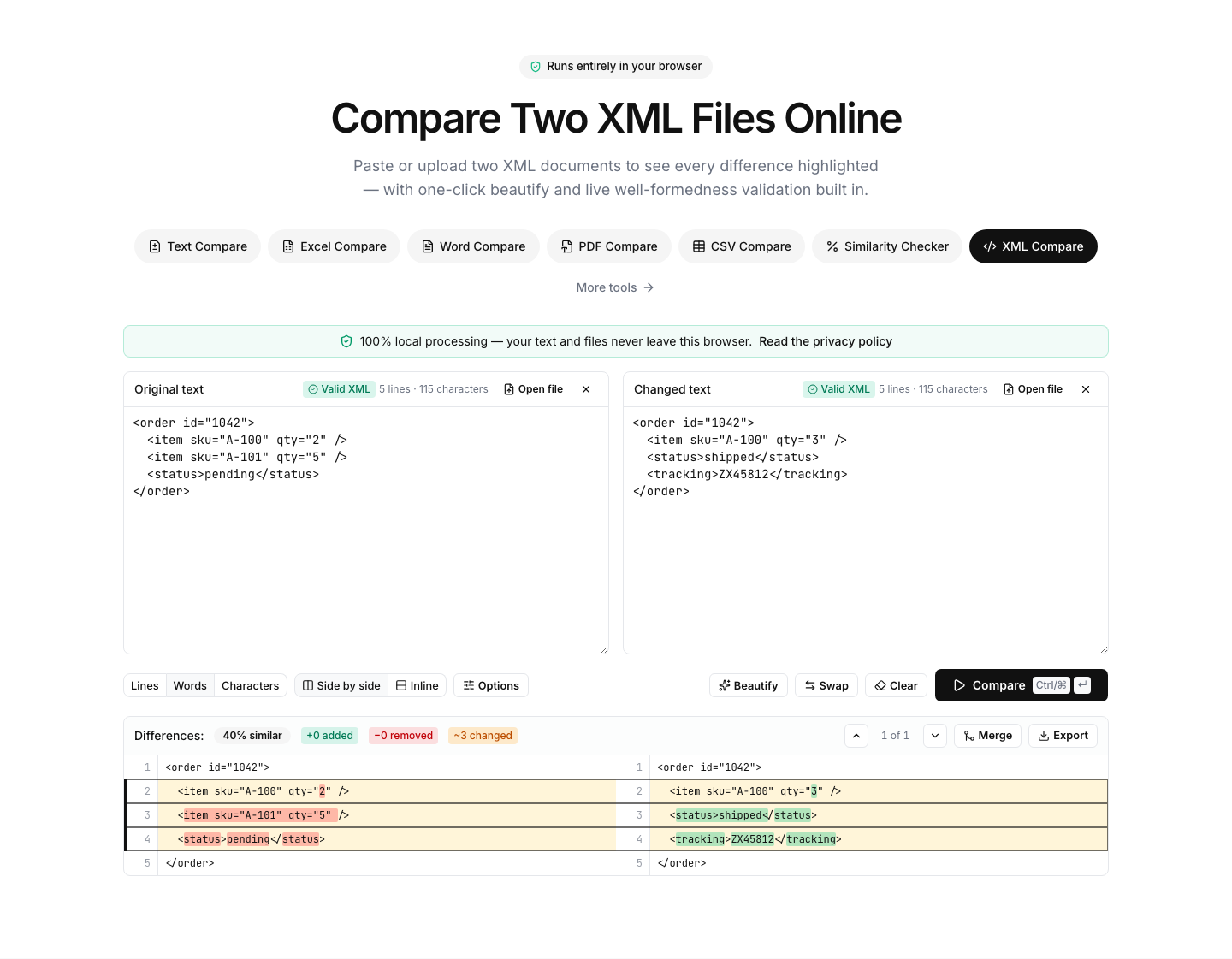
Paste or drop text into both boxes, then press Compare.
Everything runs in your browser — nothing is uploaded.How to compare two XML files
- 1
Add both documents
Paste the XML or drop .xml/.svg/.xsd files onto the panels. Each side is validated live — a green check means the document is well-formed.
- 2
Beautify to normalize
Click Beautify to re-indent both sides identically. That removes formatting-only noise, so the diff shows real changes — not whitespace.
- 3
Compare & review
Run the comparison and review added, removed and changed elements line by line, with word-level highlights inside changed lines.
Read the full guide: Common JSON Formatting Errors and How to Debug Them
An XML diff that sees through formatting noise
Two XML files can be logically identical and still look completely different — different indentation, line breaks, or self-closing tag styles. This tool fixes that: the built-in beautifier re-indents both documents with identical rules before you compare, so the diff highlights genuine changes to elements, attributes and values instead of whitespace.
Each side is validated continuously while you type. A malformed document is flagged immediately with the parser's error message, which makes the page double as a quick XML validator and viewer: paste a wall of minified XML, click Beautify, and read it comfortably — no separate tool needed.
Typical uses: comparing configuration files (Maven POMs, Spring configs, .csproj files), checking API responses between environments, reviewing SVG changes, or verifying that a transformation pipeline only touched the expected elements.
Everything runs locally in your browser — the documents are never uploaded, so comparing configs that contain connection strings or secrets is safe. For huge files, the diff runs in a background worker to keep the page responsive.
FAQ