Compare Two Lists Online
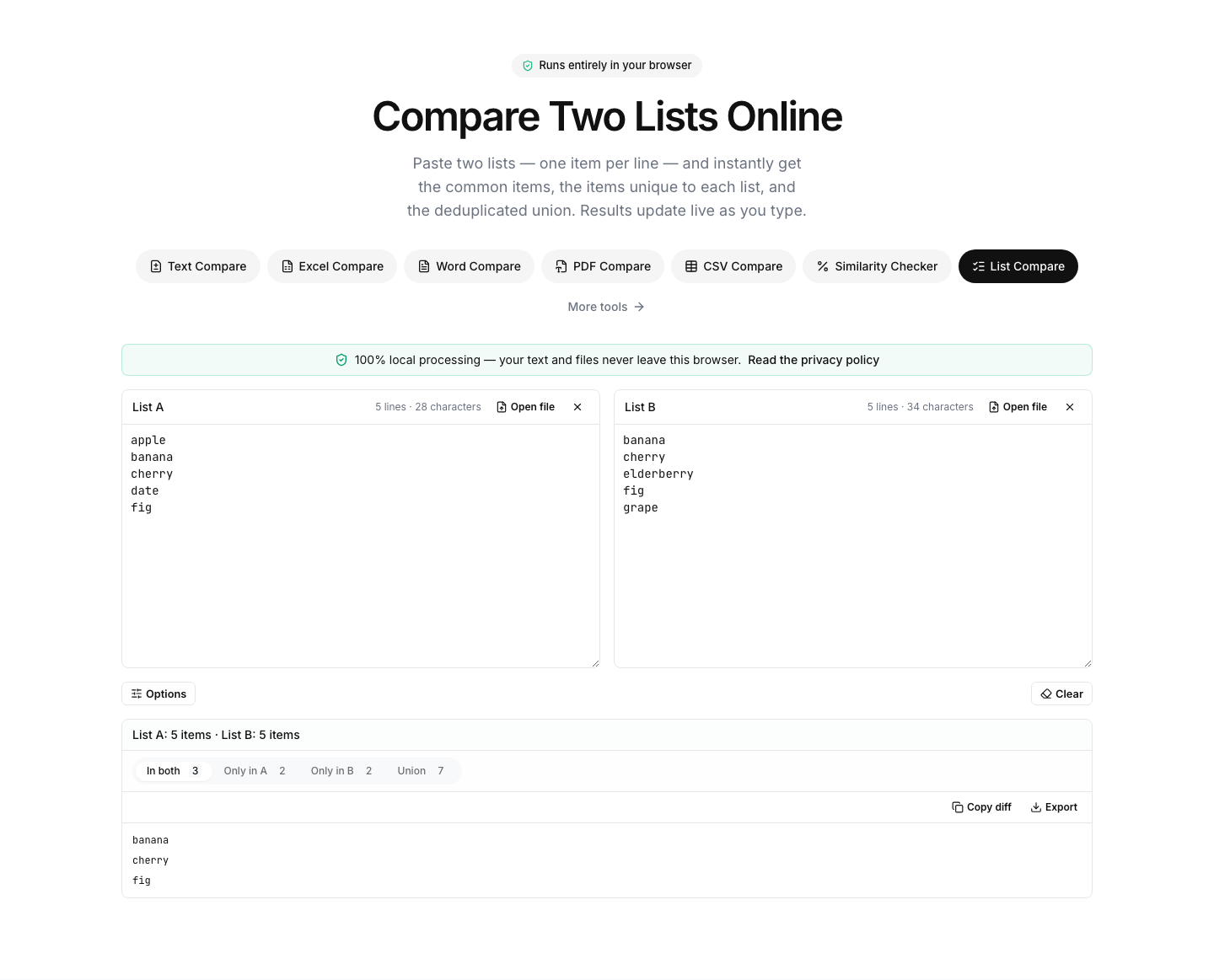
Paste two lists — one item per line — and instantly get the common items, the items unique to each list, and the deduplicated union. Results update live as you type.
How to compare two lists
- 1
Paste your lists
Put one item per line: emails, SKUs, keywords, names, URLs — anything. You can also drop .txt or .csv files onto the panels.
- 2
Adjust the options
Trim whitespace, ignore case, skip empty lines or sort the output alphabetically. Duplicates inside each list are ignored automatically.
- 3
Grab the result you need
Switch between “In both”, “Only in A”, “Only in B” and “Union”, then copy the list or download it as a .txt file.
Read the full guide: How to Compare Two Columns in Excel: Formulas, Formatting and Online Tools
Intersect, subtract and merge lists without spreadsheets
Comparing two lists is one of those tasks that always ends up in a spreadsheet with VLOOKUP formulas — this tool does it instantly. Paste two lists and it computes the set operations for you: the intersection (items present in both), the differences (items only in A, items only in B) and the deduplicated union of everything.
Options make the matching practical: trim leading and trailing whitespace, treat items case-insensitively, skip empty lines and sort the results alphabetically. Duplicates within each list are counted and ignored, so the tool doubles as a quick list deduplicator — paste a single list and read the union tab.
Typical uses: finding which email subscribers appear on a suppression list, which SKUs exist in one export but not the other, which keywords two reports share, or merging two attendee lists without duplicates. Everything runs in your browser — no list data is ever uploaded.
FAQ
List comparison — frequently asked questions
More comparison tools
Similarity Checker
Measure how similar two texts are, as a percentage
Text Compare
Diff two texts with every change highlighted
Excel Compare
Find differences between two Excel or CSV spreadsheets
CSV Compare
Compare two CSV files row by row
Word Compare
Compare two Word documents (.docx)
PDF Compare
Compare the text of two PDF files