Compare Two PDF Files Online
Upload two PDF files and instantly see what text changed between them. Free, fast and completely private — your documents never leave your device.
Drop a file on each side, or paste text — comparison starts automatically.
Files are processed on your device and never uploaded.How to compare two PDF files
- 1
Upload both PDFs
Drop the original PDF on the left and the new version on the right. The text layer of each file is extracted locally, page by page.
- 2
Review the differences
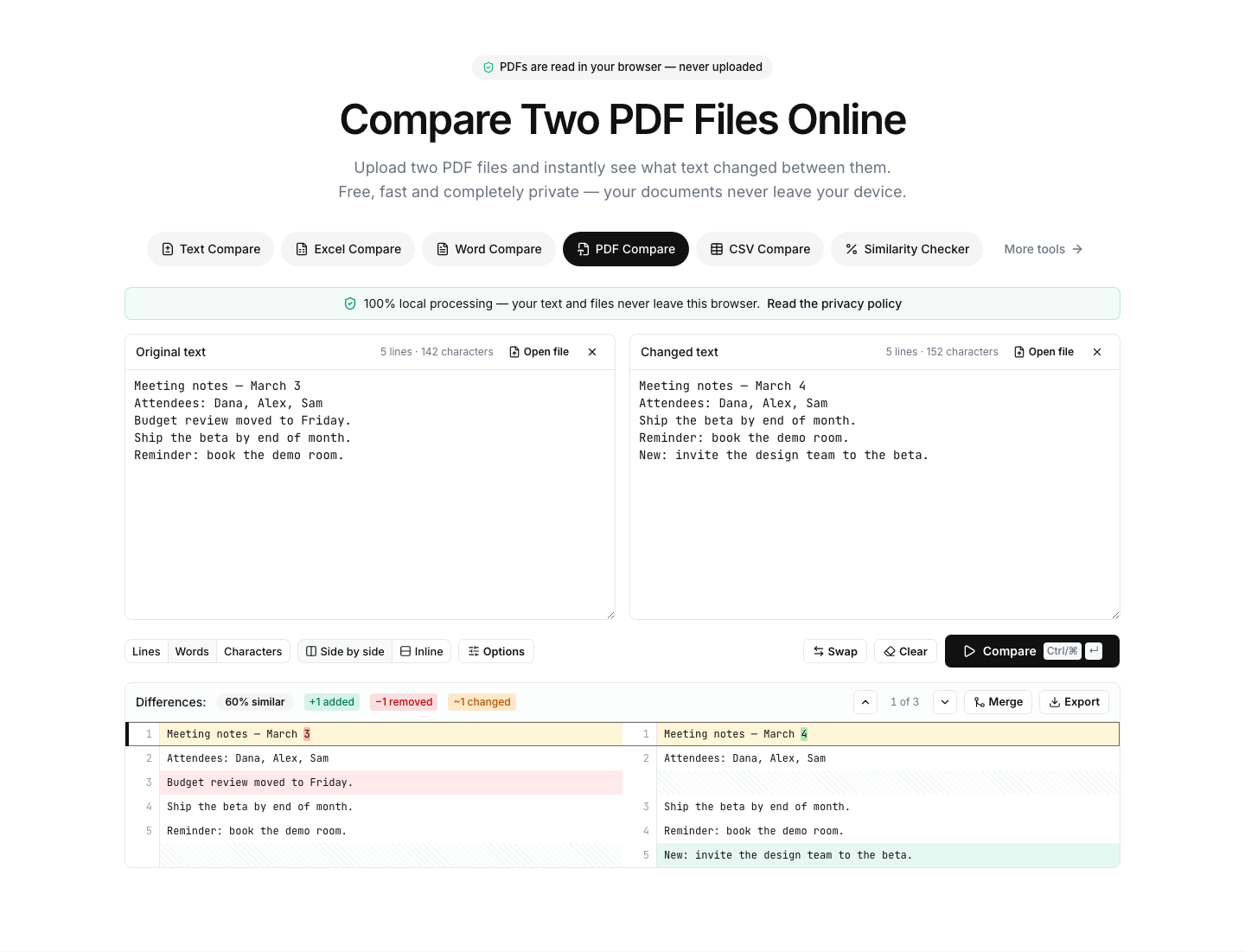
The diff runs automatically: added text is green, removed text is red, changed lines are yellow with word-level highlights.
- 3
Fine-tune & export
Enable “Ignore whitespace” if the documents reflow differently, then export the comparison as PDF, CSV or image.
Read the full guide: How to Compare Two PDF Files Online (No Upload Required)
Find every text change between two PDFs
This tool extracts the text layer of both PDF files with its exact positions, rebuilds the reading lines and compares the two versions like a code diff. Page boundaries are intentionally ignored, so a paragraph that moved to the next page does not show up as a false difference — only real text changes do.
The extraction uses pdf.js — the same engine Firefox uses to display PDFs — running locally in your browser. Contracts, invoices, reports and other sensitive documents are never uploaded; the comparison works entirely on your device.
Typical uses: spotting what changed between two contract drafts, verifying an updated invoice or quote, comparing terms-and-conditions revisions, or checking a corrected proof against the original before publication.
Limitations: scanned PDFs are images without a text layer and cannot be compared (OCR is not included yet). Layout, fonts and embedded images are not compared — this tool focuses on the text.
FAQ
PDF comparison — frequently asked questions
More comparison tools
Text Compare
Diff two texts with every change highlighted
Excel Compare
Find differences between two Excel or CSV spreadsheets
CSV Compare
Compare two CSV files row by row
Word Compare
Compare two Word documents (.docx)
Image Compare
Spot every difference between two images with a slider and pixel diff
List Compare
Find common, missing and merged items in two lists