Compare Two SQL Queries Online
Paste two SQL scripts to see every difference highlighted — with a one-click formatter that normalizes keywords and indentation, and a live syntax check.
Paste or drop text into both boxes, then press Compare.
Everything runs in your browser — nothing is uploaded.How to compare two SQL queries
- 1
Paste both versions
Add the two queries or scripts — from a migration file, a stored procedure, an ORM log or a schema dump. A live syntax check flags malformed statements.
- 2
Format to normalize
Click Beautify: keywords are uppercased and clauses are indented consistently on both sides, so style differences stop polluting the diff.
- 3
Compare & review
Run the comparison to see added, removed and edited clauses — a changed column, a new JOIN, a different WHERE condition — highlighted word by word.
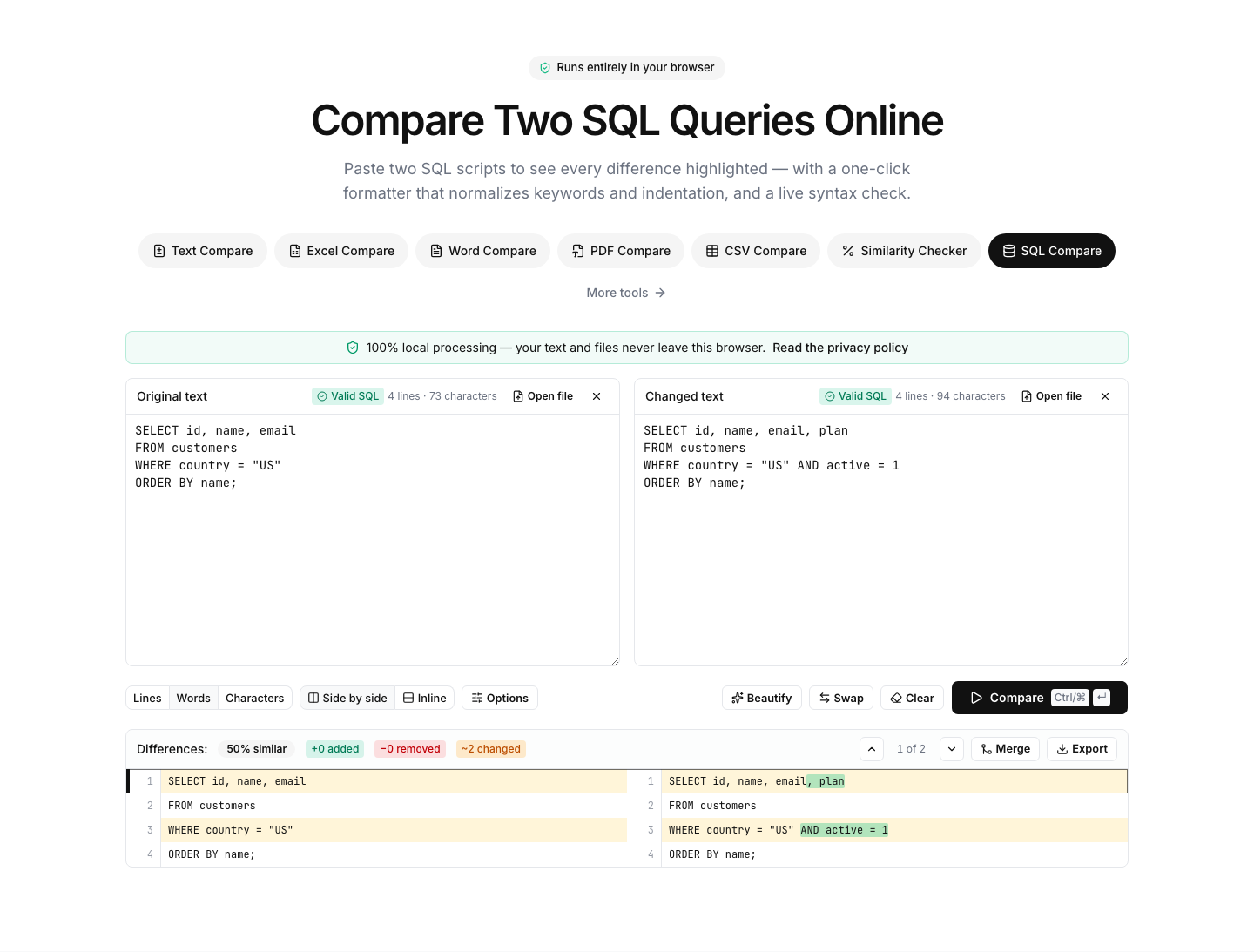
Spot the real change between two queries
SQL is where formatting differences hurt the most: one developer writes keywords lowercase, another splits every column onto its own line, and suddenly two nearly-identical queries look completely different. This tool formats both sides with identical rules — uppercase keywords, consistent indentation — before comparing, so the diff shows what actually changed in the logic.
The formatter's parser doubles as a pragmatic syntax checker: while you type, each panel shows whether the SQL parses cleanly, and malformed statements are flagged with the offending token. It follows standard SQL and understands the common syntax of major dialects.
Typical uses: reviewing migration scripts before they run, comparing a stored procedure between staging and production, checking what an ORM actually changed in its generated SQL, or diffing two schema dumps after a deployment.
As with every tool on this site, your SQL never leaves the browser — safe for queries that embed table names, business logic or credentials in connection comments.
FAQ